This post may contain affiliate links, which means I’ll receive a commission if you purchase through my link, at no extra cost to you. Please read full disclosure here.
What is the best audiobook app? What is the best audiobook subscription? And what if you don’t want a subscription? What if you just want to pay as you go? Is that an option? In this post, I will try to answer all of these questions, and more!
I love audiobooks. I’ve been listening to audiobooks since before there were smartphones. The only way to get an audiobook back in the day was to buy it on cassette tapes or CDs (and yes, I wrote cassette tape and CD in plural because it took multiple tapes or CDs to contain a single audiobook).
The biggest problem with audiobooks at the time was that they were super expensive, which made them cost-prohibitive for the average person.
That means I never bought them.
I mean, who could really afford $60 for a single audiobook? Not me. (And no, that’s not a typo. That’s really how much they cost, if not more.)
At some point, I discovered that I could get audiobooks on CD at the library for free, and I was hooked. I still get audiobooks from my library, but libraries did and still do have limitations. (More details about getting audiobooks from your library below.)
With the advent of the internet and smartphones, we can now pretty much get any audiobook we want for a nominal fee.
But now, with so many audiobook platforms, it can be confusing to know which one to use.
Since I’ve used several platforms, I wanted to share my experience so you can choose the one that’s right for you.
This post is all about the best audiobook apps.
Let’s dive into it.
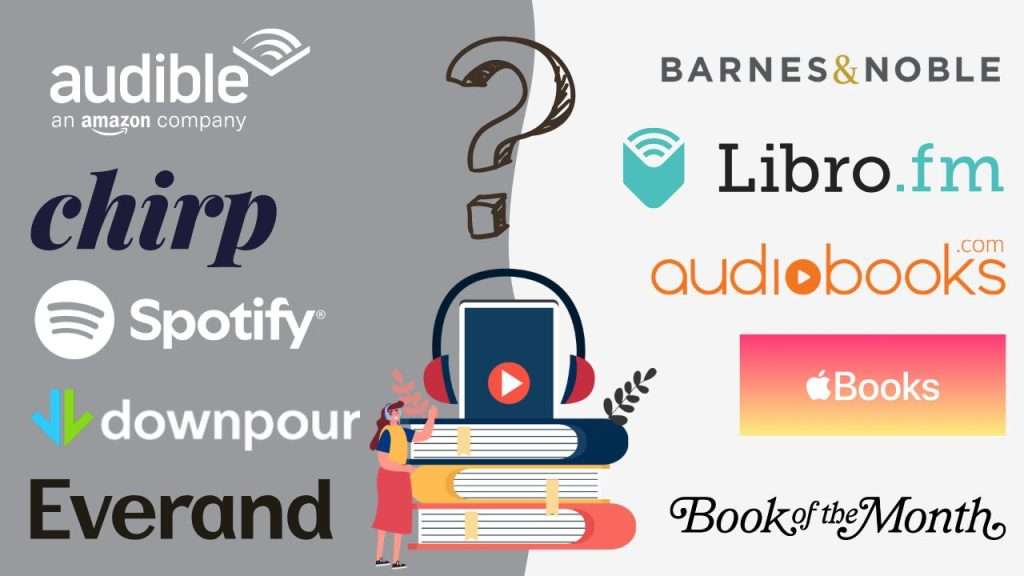
The Best Audiobook Apps Compared
1
Audible
How Much Audible Costs:
- Standard: $8.99/month for 1 audiobook credit (can keep books as long as you are a member)
- Premium Plus: $14.95 per month for 1 audiobook credit (The audiobooks are yours to keep forever. Plus you get access to 180k included titles + deals & discounts.)
- Premium Plus: $22.95 per month for 2 audiobook credits (Same perks as above.)
- Premium Plus: $17.00 every other month for 1 audiobook credit (Same perks as above.)
- (You can also purchase books a la carte without a subscription, but it’s typically more affordable to get the books via subscription on Audible.)
Audible is the O.G. audiobook platform. I was actually an Audible member before they were bought by Amazon. I know some people may not like them because they are owned by Amazon, but if I’m being honest, it really is the best platform out there if you are purely looking at it from the consumer’s perspective. From their wide selection to the user experience on their audiobook app, it’s really hard to beat.
Audible Pros:
Audible Cons:

2
Libro.fm
How Much Libro.fm Costs:
- $14.99/month for one audiobook credit
- $23.99/month for two audiobook credits
- $169.99/year for 12 audiobook credits (averages $14.17 per credit)
- You can also purchase books a la carte without a subscription, but it’s typically more affordable to get the books via subscription.
Libro.fm has a very unique business model because some of the proceeds go to local bookstores, and not only that, you get to choose which local bookstore your account supports. I think this is really cool since independent bookstores aren’t really able to offer audiobooks. They also support other causes and are a Certified B Corporation. If you want an audiobook platform on a mission, this might be the one for you.
Libro.fm ProS:
Libro.fm Cons:

3
Chirp
Price: Pay per book. There is no subscription option.
Chirp stands out as a purely pay-as-you-go option. Chirp was started by the same people who run the website BookBub, which is a popular book discovery website. While I’ve purchased audiobooks from Chirp and enjoy their platform, one thing I’ve found a bit odd is that one time when I purchased a book, they were asking for donations to offset being able to sell books so cheaply. My thought was that if you can’t afford to sell books so cheap, then raise your prices. It seems odd to ask for donations like this. That being said, I haven’t seen this in a while, so I think they’ve stopped doing it.
Chirp Pros:
Chirp Cons:

4
Audiobooks.com
Price: $14.95/month for 1 audiobook and 1 VIP book every month
Auiobooks.com Pros:
Audiobooks.com Cons:
5
Apple Books
Price: Pay per book. There is no subscription option.
Like Chirp, Apple Books is 100% pay-as-you-go. However, you do have to be part of the Apple ecosystem to access it. I think Apple Books (formerly iBooks) was one of the first audiobook platforms I ever tried. One thing I’ll say for Apple Books is that it’s a very enjoyable platform to use and navigate.
Apple Books Pros:
apple books Cons:
6
Barnes & Noble
Price: $14.99/month for 1 Audiobook Credit or purchase a book a la carte without a subscription
Yes, Barnes & Noble sells audiobooks. Their audiobooks store used to be called NOOK Audiobooks, but now it’s called B&N Audiobooks. You can listen through their website or on the Barnes & Noble NOOK App. (You do not have to have a NOOK to use this app.)
Barnes & Noble Pros:
Barnes & Noble Cons:

7
Your Library
Price: Free!
A lot of people don’t know this, but you can get audiobooks from your library for free. Most libraries use one of these apps, so you’ll have to reach out to your library and find out which one they use. (My library uses cloudLibrary.)
Library Pros:
Library Cons:
Apps that Include Audiobooks as an Additional Perk
It’s becoming increasingly common for platforms to include audiobooks as an additional perk of your subscription or membership. On these platforms, they don’t sell audiobooks exclusively, but if you use these platforms, you may also have access to audiobooks.
Spotify Premium
Price: Individual $12.99/month; Duo $18.99/month; Family $21.99/month
If you are a Spotify Premium member, you receive 15 hours of audiobook listening time with your subscription, which renews each month.
You can add Audiobooks+ to your account, which gives you an additional 15 hours of listening time for $11.99.
You also have the option of purchasing 10 additional listening hours if you use up your 15 hours and want more. They call this a Top-up, and it costs $12.99. Top-up hours carry over and are valid to use for 12 months from the purchase date.
The app allows users to adjust the narration speed to 1.1x, 1.2x, and all the way up to 3.5x.
Spotify displays customer ratings of books, but not written reviews.
Amazon Music Unlimited
Price: $11.99/month ($10.99/month for Prime members)
If you are an Amazon Music Unlimited member, you get one free audiobook per month from the Audible catalog of books.
You select and listen to the audiobooks right in the Amazon Music app.
However, it does not have all of the features available in the Audible app. For example, it doesn’t include a bookmark option, and you are very limited in how much you can adjust the speed of narration, starting with 1.2x, 1.4x, 1.5x, etc. (I would personally find this annoying, as I’m someone who prefers to start slow when I’m increasing my narration speed.)
Kindle Unlimited
Price: $11.99/month
Kindle Unlimited is a paid subscription that gives readers access to a wide variety of ebooks for no additional cost. They often have deals where you can access KU to try it out. For example, right now, you can do a 30 Day Free Trial or you can do a 2-month deal, where you pay $0.99 for the first 2 months. They often have really good deals for Black Friday and Prime Day.
Kindle Unlimited is great if you tend to fly through ebooks. I have also signed up for it during the summer when my kids are home more and reading more books.
I didn’t realize until about a month ago that you can also get audiobooks through Kindle Unlimited. Amazon does not offer audiobooks on all of the ebooks you get through KU, but it does have a decent selection.
You listen to these audiobooks through the Audible app, and you can sync these audiobooks with an ebook with Amazon’s Whispersync feature, which is something I personally like.
To find audiobooks on Kindle Unlimited, look for books that have a headphone next to it or go to the Audiobooks section on the website.
Kobo
Price: $7.99 for Kobo Plus Listen; $9.99 Kobo Plus Read & Listen
Similar to Kindle Unlimited, Kobo is an ebook platform that also offers audiobooks.
While you can just subscribe to their audiobook subscription, they don’t have the best selection, so I wouldn’t recommend this as your primary audiobook platform. This may make sense if you have a Kobo reader and you want to be able to sync your ebooks with an audiobook.
Kobo says they offer 150,000 audiobooks, which sounds like a lot, but it’s a lot less than the 650,000 offered by Libro.fm and over 1 million offered by Audible.
I also think their website doesn’t have the best user experience, and their app is a bit confusing to use.
That being said, readers rave about the Kobo eReader, which has become a serious competitor to the Amazon Kindle.
Book of the Month
Price: $12.99 to $17.99/month, depending on the membership plan
I’ve been a Book of the Month member since 2019. I think they do a good job of picking interesting reads across several genres, and I like their beautiful hardcover books. A couple of years ago, they started offering audiobooks, which I was initially excited about.
I opted for an audiobook a handful of times, but I found their audiobook app a bit disappointing. First, you can only increase the listening speed by 1.2x, 1.5x, and 2x. (I’m someone who likes to increase my speed by smaller increments than that.) Second, you can’t add any bookmarks or take any notes within the app.
I also started to realize that this really isn’t the best use of what Book of the Month offers. One of the best parts of Book of the Month is getting those beautiful hardcovers at such a discounted price. So I now just stick to their hardcovers.
That being said, I do appreciate that they’ve given their members this option.
Other Audiobook App
Here are some other audiobook platforms I haven’t used but that look worthwhile.
Downpour
Price: $12.99/month for 1 credit redeemable for 1 audiobook.
Users can also purchase audiobooks a la carte without a membership.
Downpour is owned by Blackstone Publishing, which started as an audiobook publisher in 1987, when audiobooks were created on cassette tapes. In addition to producing audiobooks, they now publish physical books, as well.)
One thing that’s unique about Downpour is that users can purchase audiobooks on CDs as well as digitally.
Downpour offers about 80,000 titles. While 80,000 titles isn’t the largest library, $12.99 is one of the cheapest audiobook memberships I’ve seen.
On Downpour, unused credits expire after one year.
Let me know if you’ve used Downpour and what you thought about it.
Everand
Price: $11.99/month for 1 unlock (1 unlock equals one title from their premium catalog of ebooks and audiobooks)
Subscribers also get unlimited access to a library of more than 20,000 ebooks, audiobooks, podcasts, and original titles.
Everand is an audiobook and ebook platform created by Scribd. While they don’t say exactly how many audiobook titles they have, they say they have more than 1.5 million titles between their ebook and audiobooks.
Customers say that if you cancel your subscription, you don’t get to keep the book, and that the “unlimited” library has limitations.
Let me know if you’ve used Everand and what you thought about it.
What Audiobook App Is Right for You?
Bottom Line: What Audiobook Apps I Personally Use
While I tested most of the audiobook platforms in this post, there are five that I have used repeatedly: Audible, Libro.fm, Chirp, Spotify, and cloudLibrary.
I know that sounds like a lot; let me explain how I use all of these:
- Since both Audible and Libro.fm allow users to pause their subscriptions without losing access to their content, I will go back and forth between these two subscriptions, which allows me access to the exclusive recordings from Audible and support my local independent bookstore through Libro.fm.
- I purchase audiobooks from Chirp whenever they have a good deal on a book I want, which they do A LOT. (I personally love their series sales and other deals.)
- I don’t always pay for a Spotify Premium account, but when I do, I will take advantage of the 15 hours of listening time. Because Spotify gives its users hours instead of credits, I find it great for testing out audiobooks I’m on the fence about. (But remember that Audible and Libro.fm do allow users to return books they used a full credit for.)
- I use Kindle Unlimited seasonally (in the summer and when they have a good deal, such as for Black Friday). I will also listen to audiobooks through Kindle Unlimited during this time.
- I really like using the library for those backlist titles.
The point is that you don’t have to choose just one!